May to June 2025
Rancho Labs
Ecommerce Analytics
Internal Tool
Rancho Labs is an EdTech startup that partners with schools and students to teach next-generation skills like AI, Robotics, and Coding. They offer multiple products, including a Learning Management System (LMS) and an e-commerce platform where schools and students can purchase STEM kits and courses. As the e-commerce platform expanded, orders and data grew rapidly, but the team struggled to track insights efficiently. Information was scattered across systems, forcing teams to depend on developers for reports, which often took hours or even days. To solve this, the company needed a centralized and accessible way to visualize key data instantly, leading to the creation of an Analytics Dashboard.
Leaders wanted quick answers to questions like “Which kits are selling?” or “Are we losing people at checkout?” but the insights were buried in spreadsheets and developer reports. Getting even simple numbers took too long, making it difficult for the team to make fast, data-driven decisions.
I started by talking to the people who needed this data most. I asked what questions they struggled to answer and what parts of their workflow slowed them down, to understand where better visibility could make the biggest impact. Then I explored what data was already available. There was plenty of it, but accessing it was difficult and time-consuming. I also studied dashboards from platforms like Shopify and Stripe to learn how they present complex data in a simple, readable way. The goal was clear make key information instantly visible and easy to understand so anyone could get insights within seconds without relying on reports or developers.
Began with rough sketches and asked the team “does this make sense?” Moved to crisp designs, picking charts, colors, and layouts that let people get the big picture instantly. Built a clickable prototype and watched real folks test it, learning fast what worked and what didn’t. Rule: if it felt confusing or overwhelming, out it went.
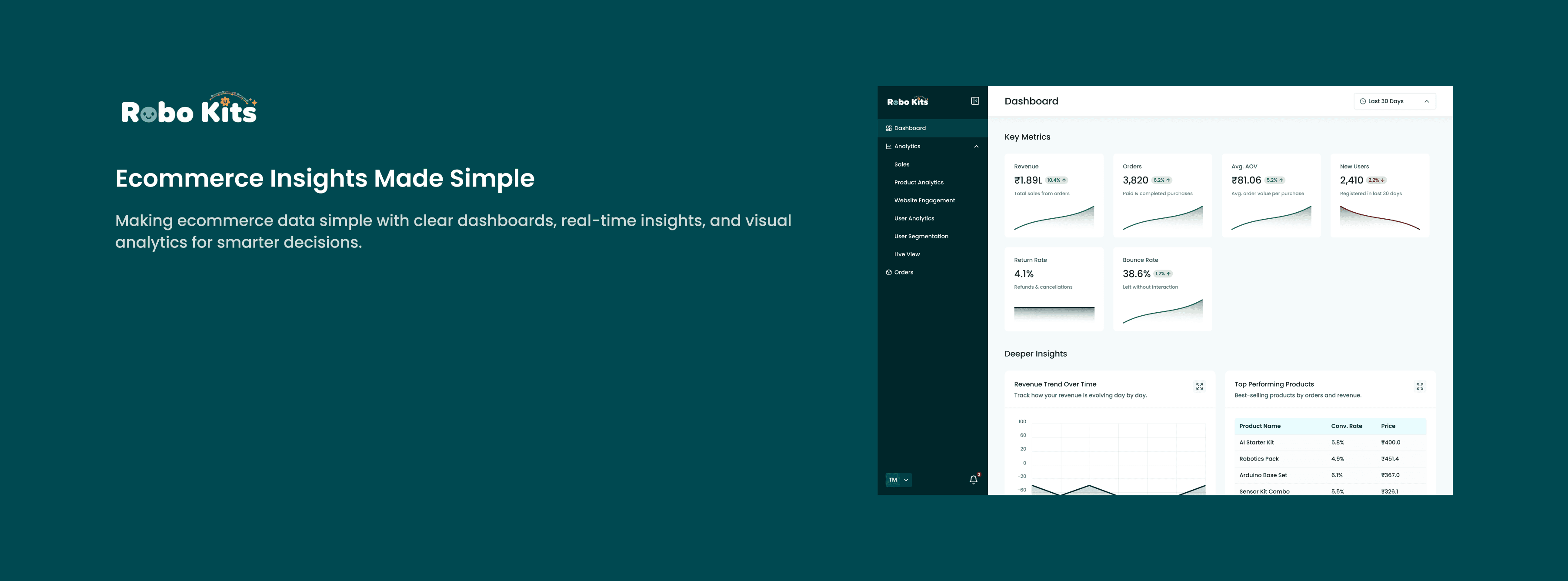
The final dashboard brings all key business metrics into one place. Now, anyone on the team can log in and get answers instantly without waiting for reports.
Main sections include
Sales Overview: Tracks total sales and trends by day, week, or month.
Top Products: Highlights the best-selling kits and courses.
Customer Insights: Shows data on new and returning customers.
Live Activity: Displays real-time orders and website activity.
Checkout Funnel: Reveals where users drop off during checkout.
Filters: Allows viewing data by specific products or time periods.
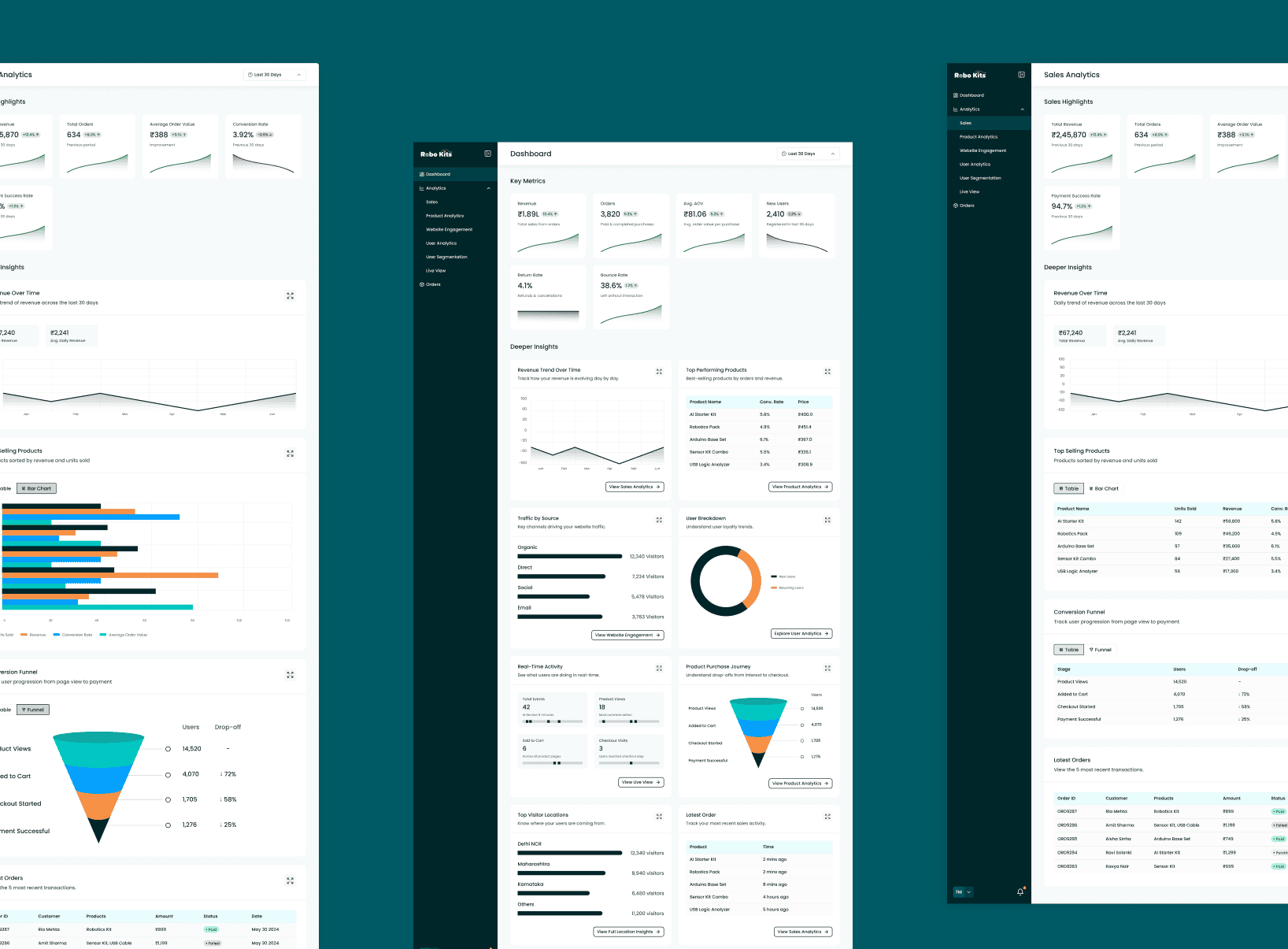
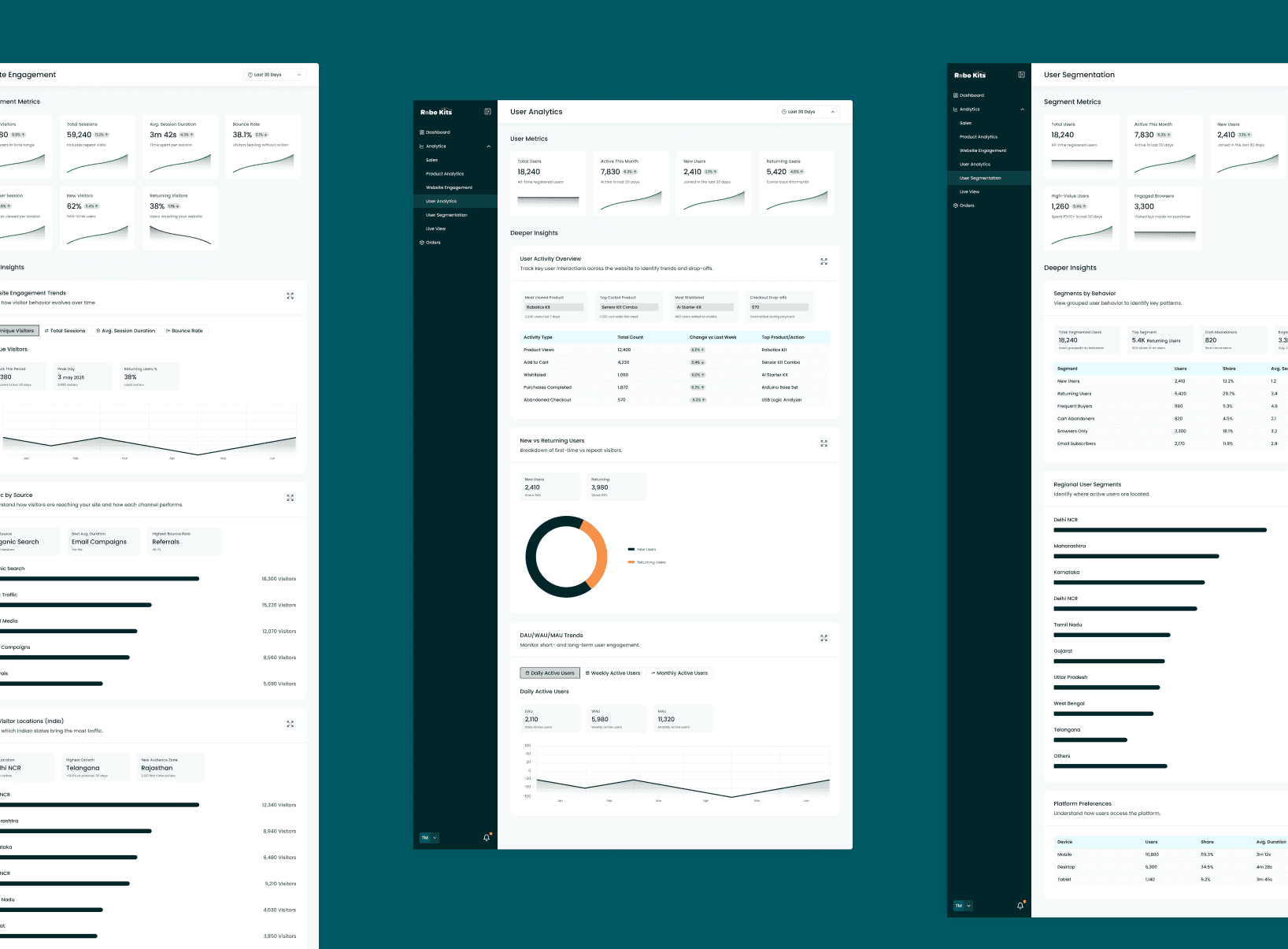
I built a real Figma prototype so you can explore how data flows and see how the entire dashboard fits together.
This design shows how a clear, centralized dashboard can simplify decision-making and make data more accessible across teams.
Everyone can get the numbers they need instantly
Teams can spot problems early and act faster
Engineers can focus on building features instead of pulling reports
It also reduces confusion over “whose data is right” With better visibility, teams can make smarter decisions and drive higher conversions
Fewer but more meaningful metrics make the dashboard easier to use Design should solve real problems, not just look good User feedback improves the product faster than working alone Releasing a simple version early is better than waiting for perfection