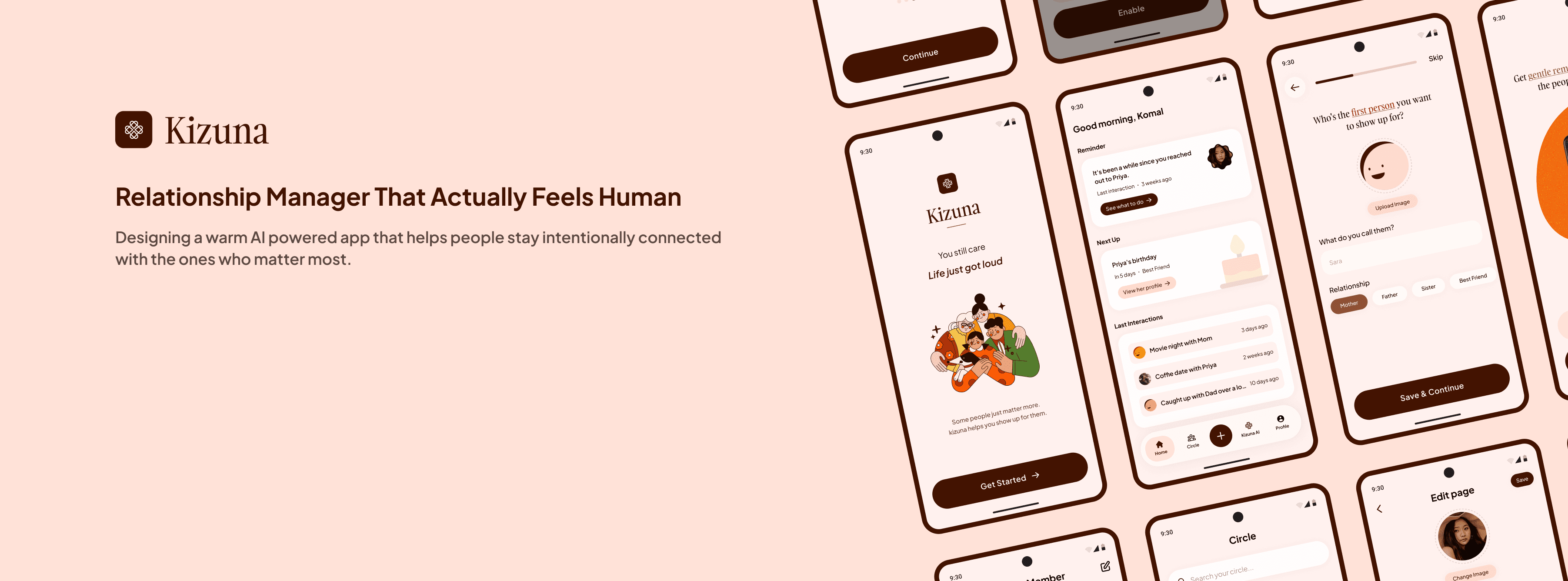
Kizuna (Relationship Manager)

Kizuna (Relationship Manager)

Kizuna (Relationship Manager)

Timeline
Timeline

March 2026 (2 weeks)

Tags
Tags

Personal Project

Android App

AI Integration
OVERVIEW

OVERVIEW

Relationship manager for staying connected with people who matter

I was scrolling Instagram one day and saw a story from an old friend. We were really close back then. I couldn’t even remember the last time we actually spoke

That’s when it hit me. There are so many people in my life I genuinely care about but haven’t properly connected with in months. Maybe years. Social media gives this illusion that we’re still close because we watch each other’s stories and like posts. But that’s not real connection

I wanted something to help me stay connected with people I care about, but I couldn’t find anything that felt right, so I decided to build it

PROBLEM

PROBLEM

It's not that people stop caring. Life just gets loud

I thought this was just me being a bad friend, so I started looking into it a bit more. What I found was surprising.

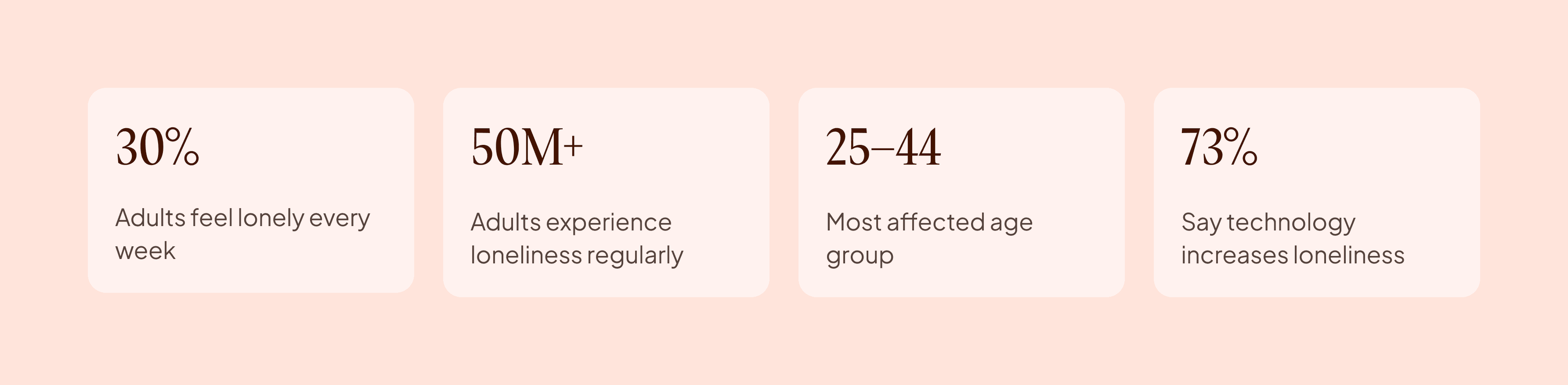
A 2024 APA poll shows that around 30% of adults feel lonely at least once a week. Another report estimates that over 50 million people in the US are dealing with loneliness. What stood out the most was the age group. It’s not teenagers, it’s people between 25 and 44. Busy, working adults who genuinely care about their relationships but don’t have a system to stay consistent

Another thing that caught my attention was how people feel about technology. Around 73% say it’s actually making loneliness worse. We have more ways to reach people than ever, but still feel disconnected that’s when it became clear to me that this wasn’t just a personal habit or mistake. It’s a real problem that hasn’t been designed for properly

MARKET RESEARCH

What already exists and why it's not enough

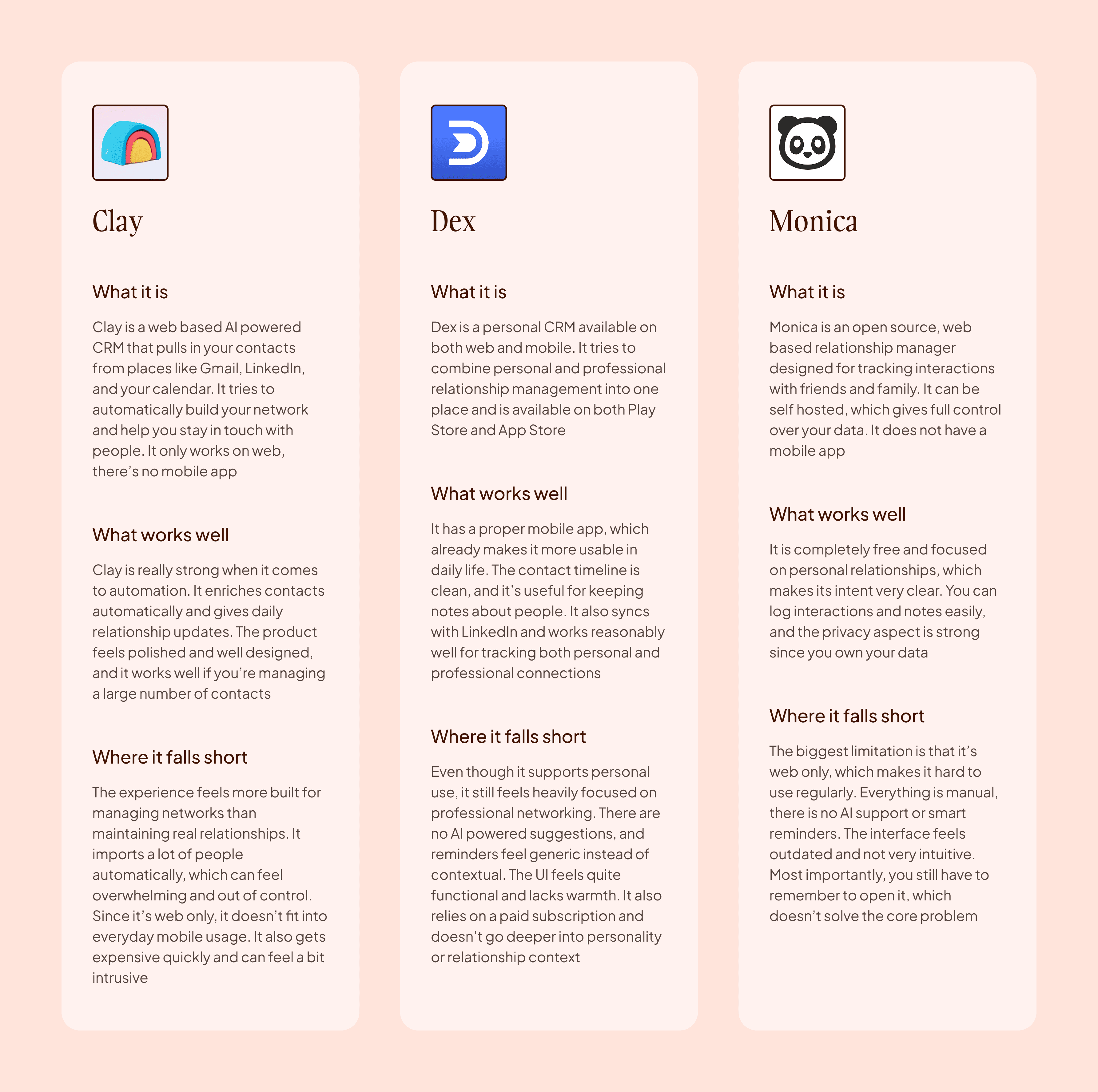
Before designing anything I spent some time looking at what already exists in this space. Clay, Dex, and Monica are the most known tools here. I explored all three by going through their websites, reading user reviews, and checking what people were saying about them

Out of these, only Dex was available as a proper mobile app on the Play Store. Clay and Monica are web-based tools. No mobile app, no presence on Play Store or App Store. That already says a lot about who they are built for

They are designed for people sitting at a desk managing contacts, not for someone on their phone trying to remember to call their sister

TARGET USERS

TARGET USERS

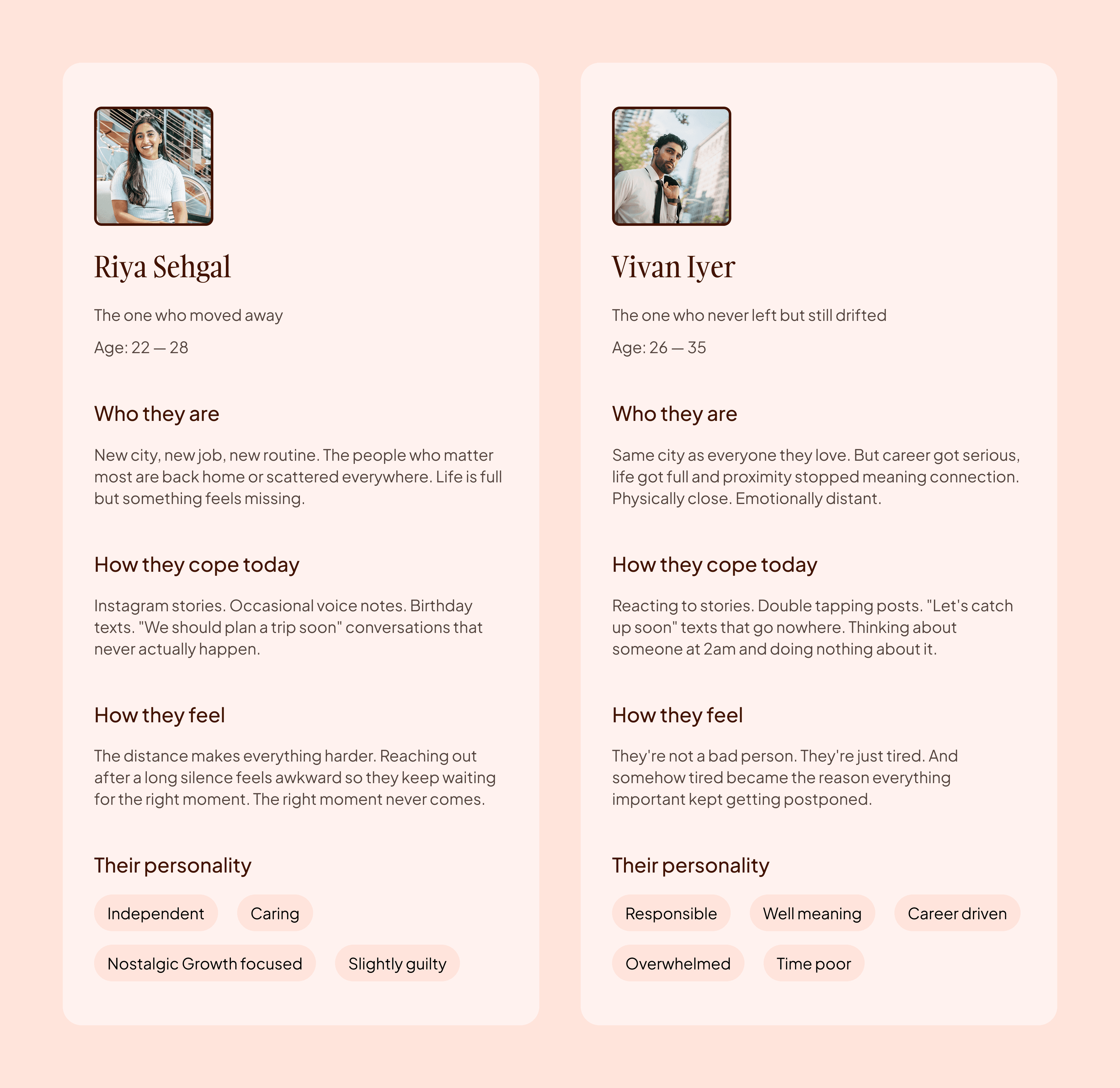
People behind the problem

This isn’t limited to a specific type of person. It’s not just an introvert problem or something only a certain age group faces. It’s something most people experience at some point

Anyone who has ever thought “I should call them” and then didn’t follow through is the kind of person Kizuna is for. I didn’t have to look far to find these users. They were people around me, and a lot of the time, it was me

THINKING IT THROUGH

THINKING IT THROUGH

The work before the design

Before starting the design, I wanted to be clear about what the app actually needs to do. I explored a few different ideas and iterations, then narrowed things down by asking one simple question

does this really help someone stay consistent with their relationships

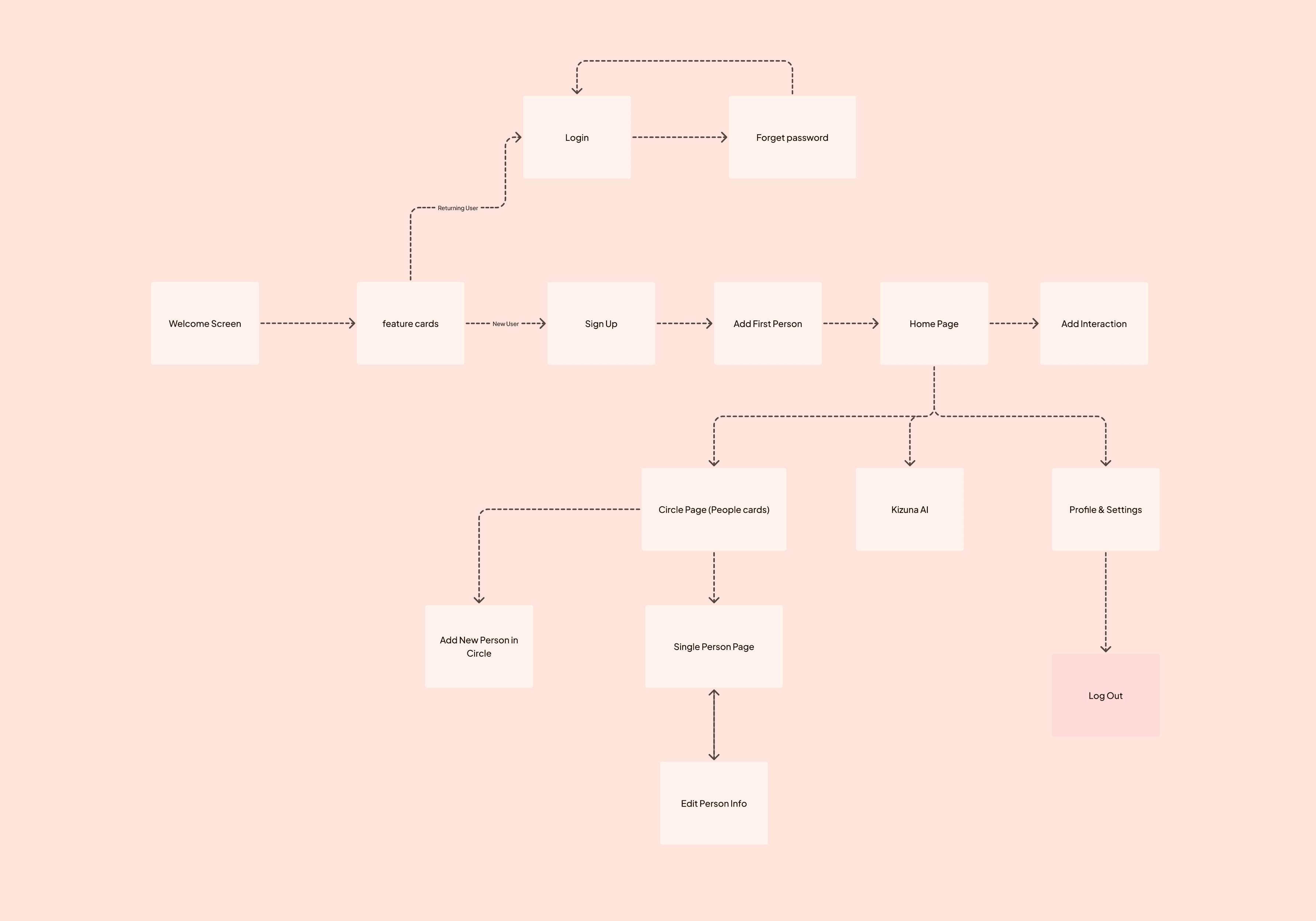
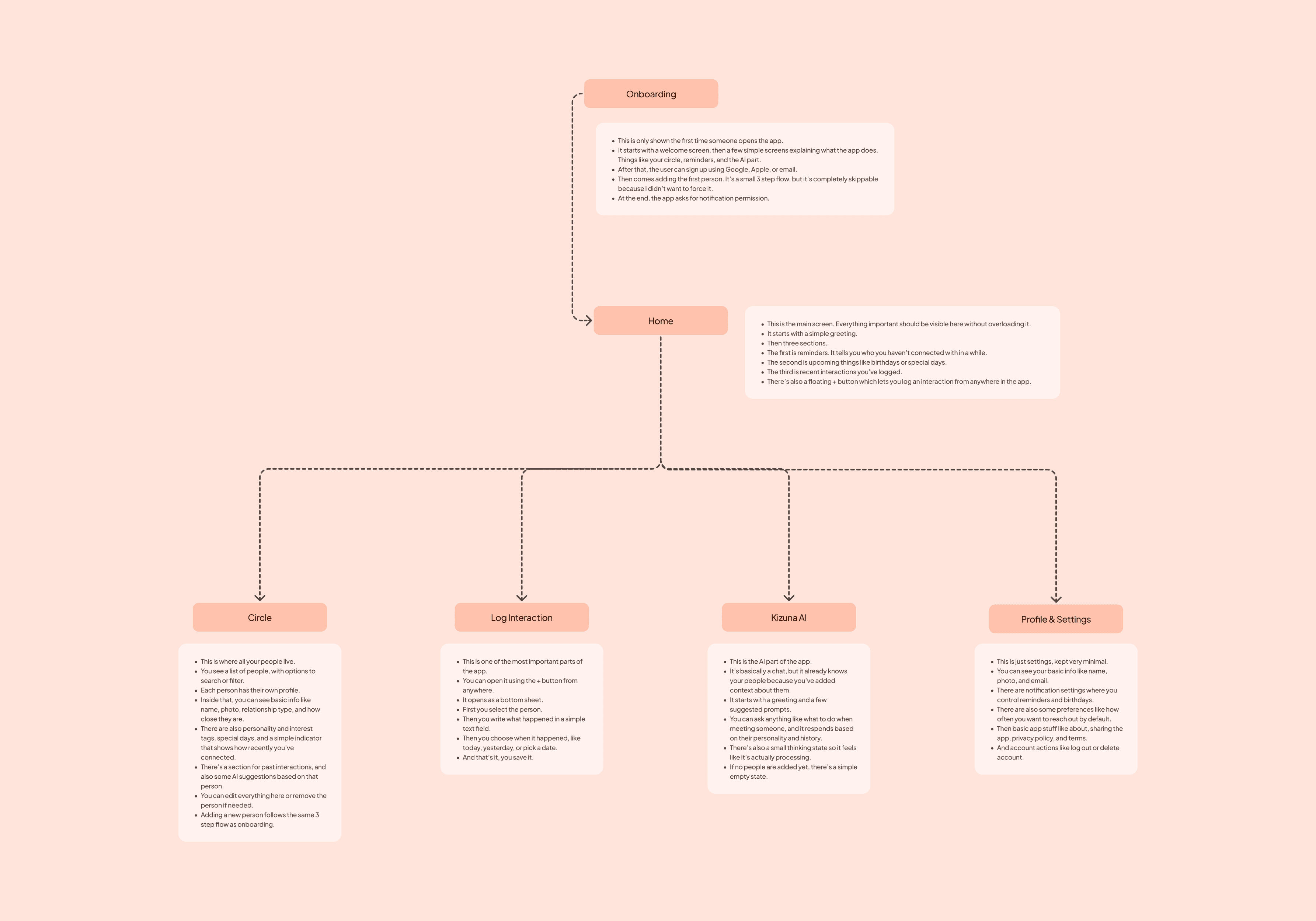
That helped me cut out unnecessary features. After that, I mapped the basic structure and key flows to understand how the app would work. Then I finalized a simple version focused on what actually matters for the users I was designing for

AI EXPLORATIONS

AI EXPLORATIONS

I didn't start with wireframes. I started with a prompt

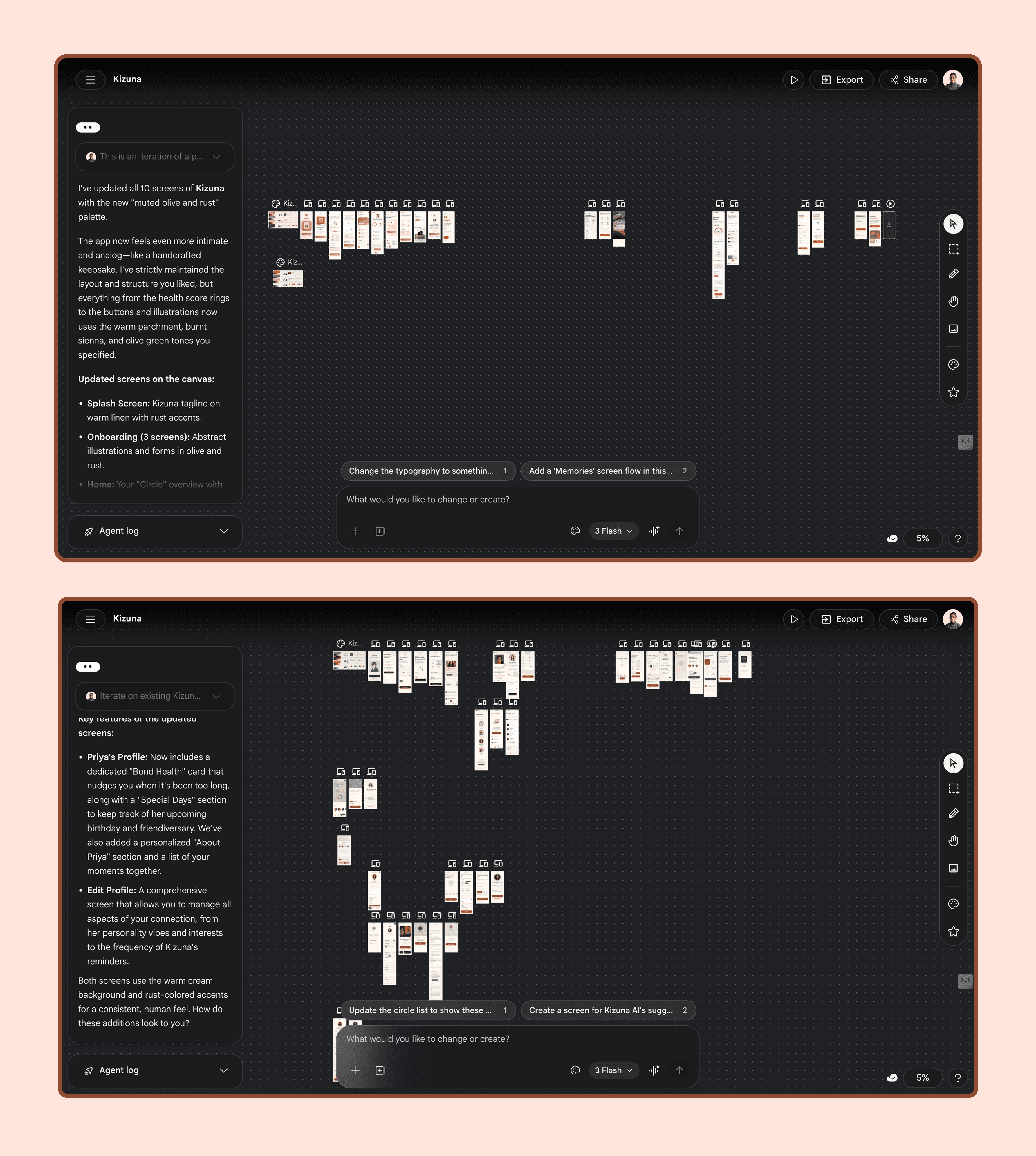
After mapping the structure and flows, I already had enough clarity about what I wanted to build. So instead of spending time on mid fidelity wireframes, I moved directly to Google Stitch

I gave it the problem, features, and the kind of visual direction I had in mind, and started exploring from there
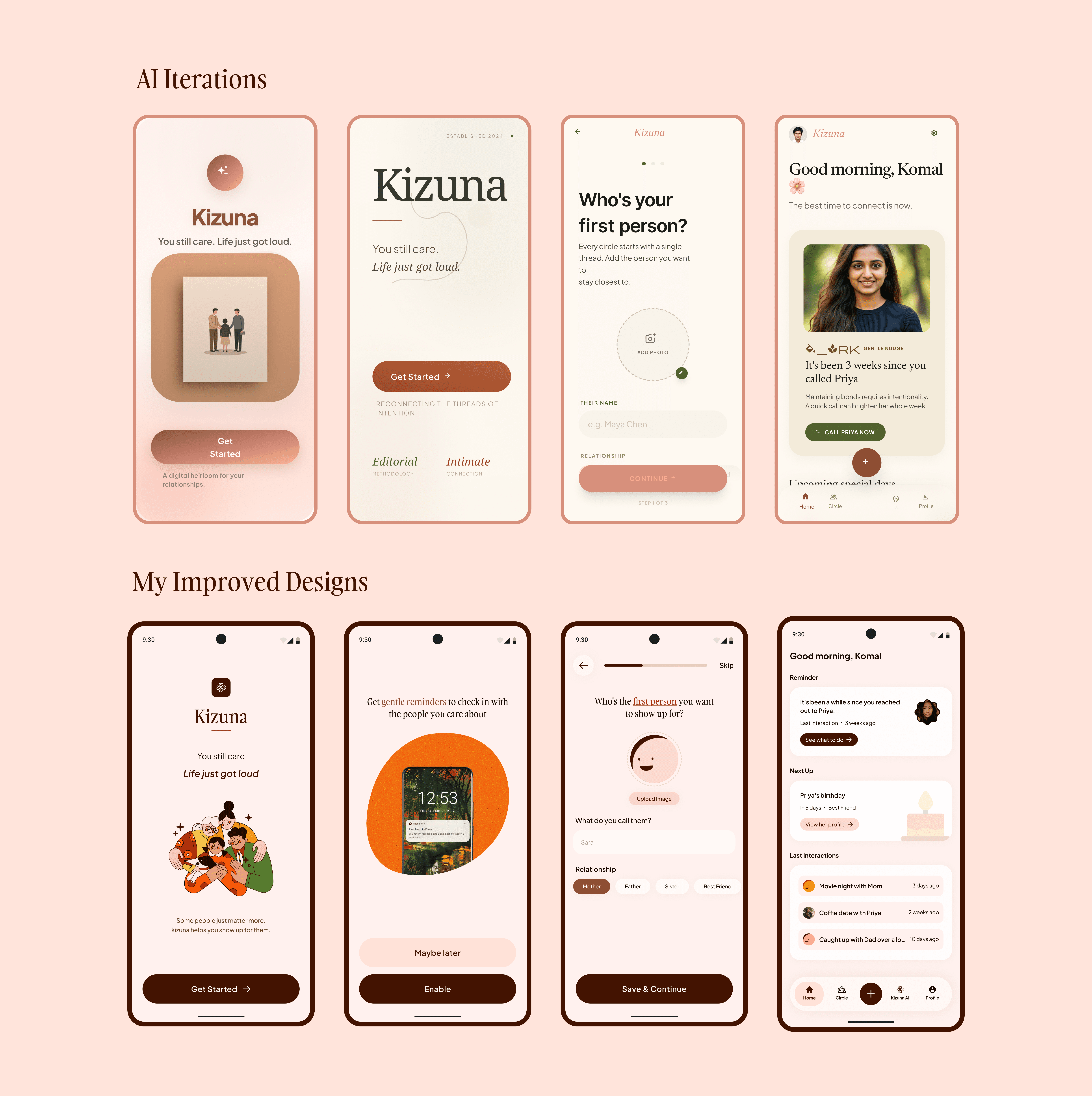
Within a few iterations, I had screens that already felt close to what I wanted. I could see the layout, the hierarchy, and the overall feel, and keep improving it in real time before moving to Figma

It wasn’t perfect, but it helped me move faster and get clear direction early on

SOLUTION

SOLUTION

Taking It Into Figma and Final Flows

The AI outputs gave me a starting point, but they were rough. I improved the layouts, fixed hierarchy, simplified flows, and made the overall experience more clear and usable. This is where the product started to feel more intentional and aligned with what I had in mind

Once the structure and visuals were in place, I designed the complete set of flows across the app, including key actions and edge cases

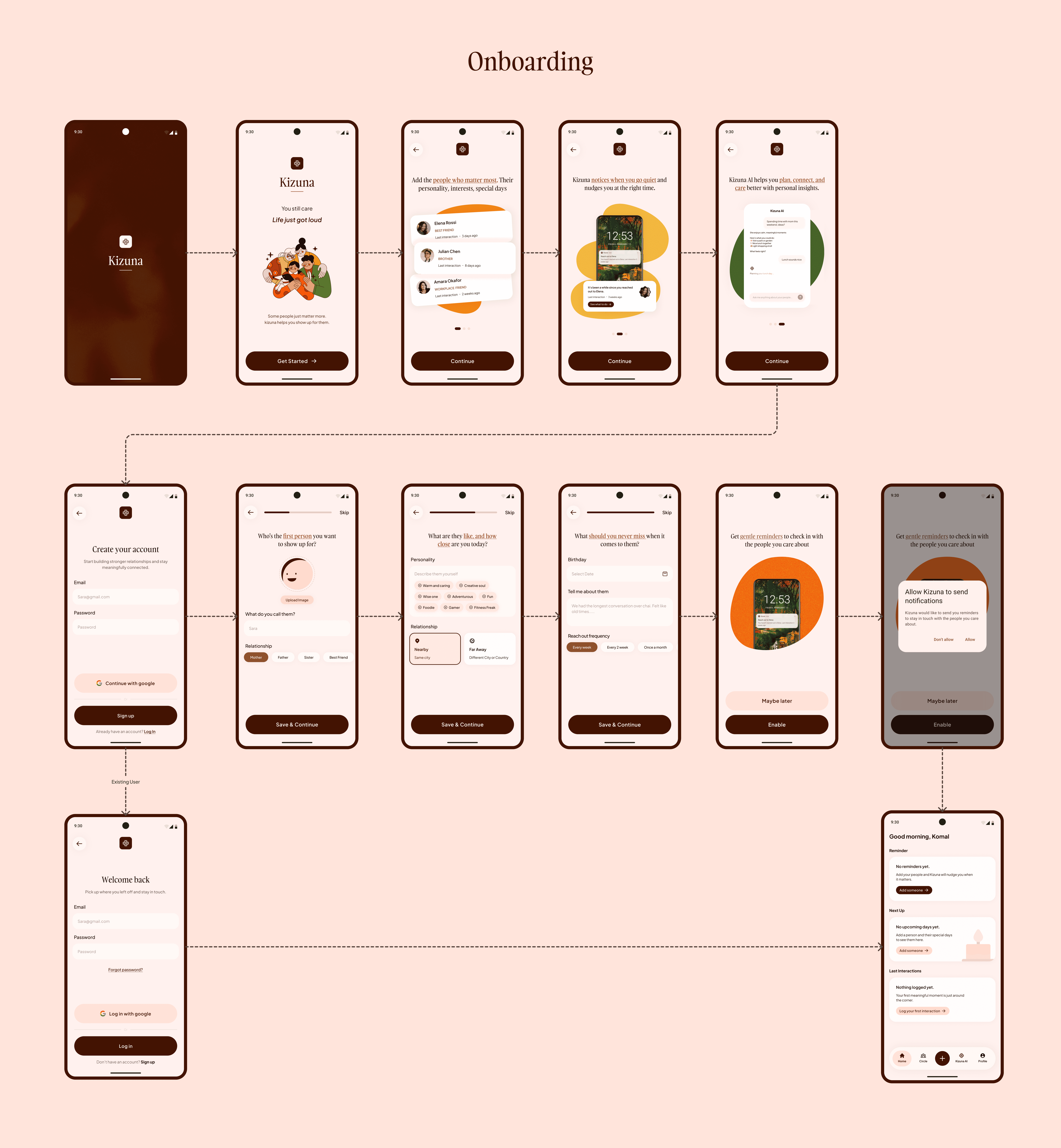
Onboarding Flow

The onboarding starts with a welcome screen and a few feature screens explaining the app
Users can then sign up or log in. After that, they are guided to add their first person with basic details, which can also be skipped. Before entering the app, a notification permission screen introduces reminders
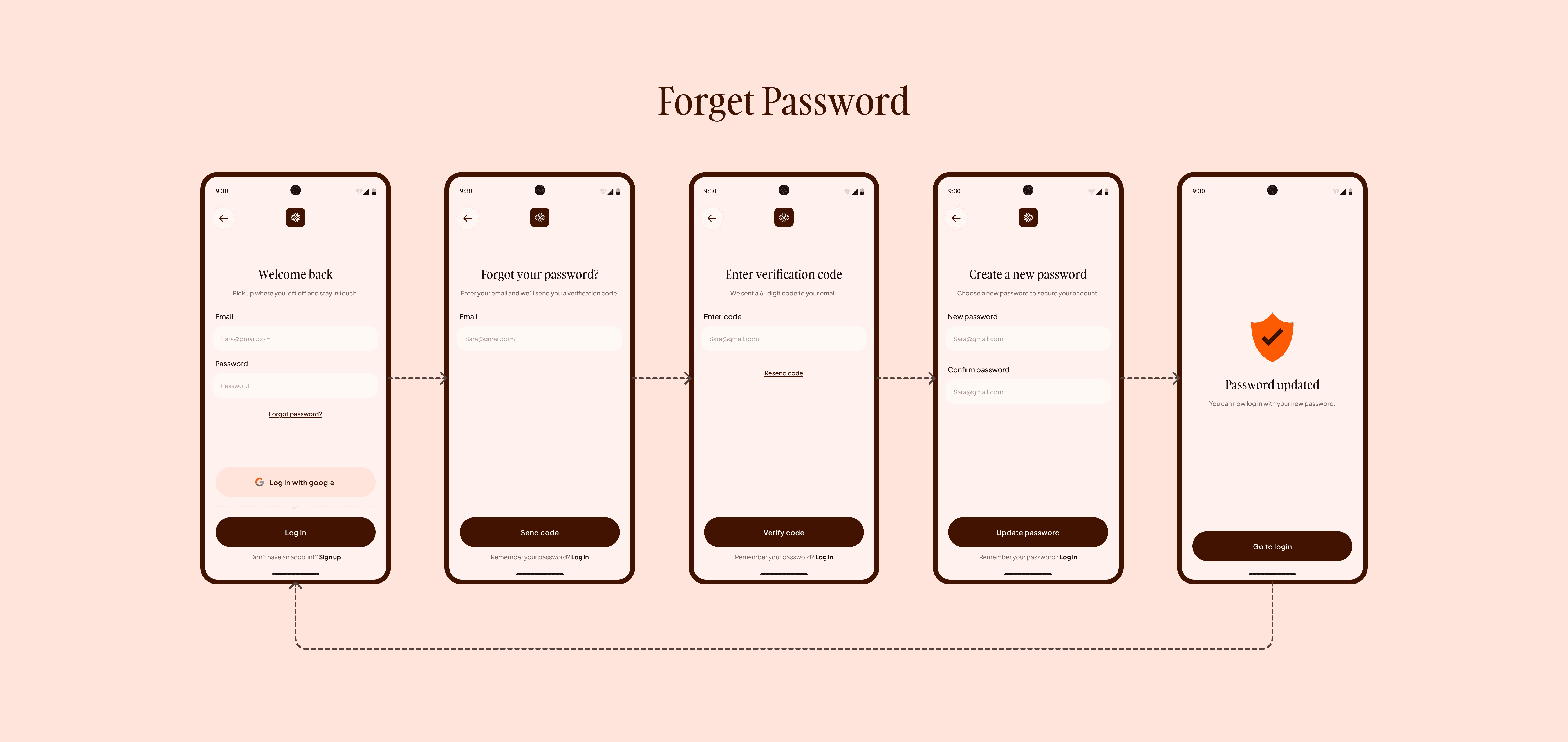
Forgot Password Flow

Users enter their email, verify a code, and set a new password
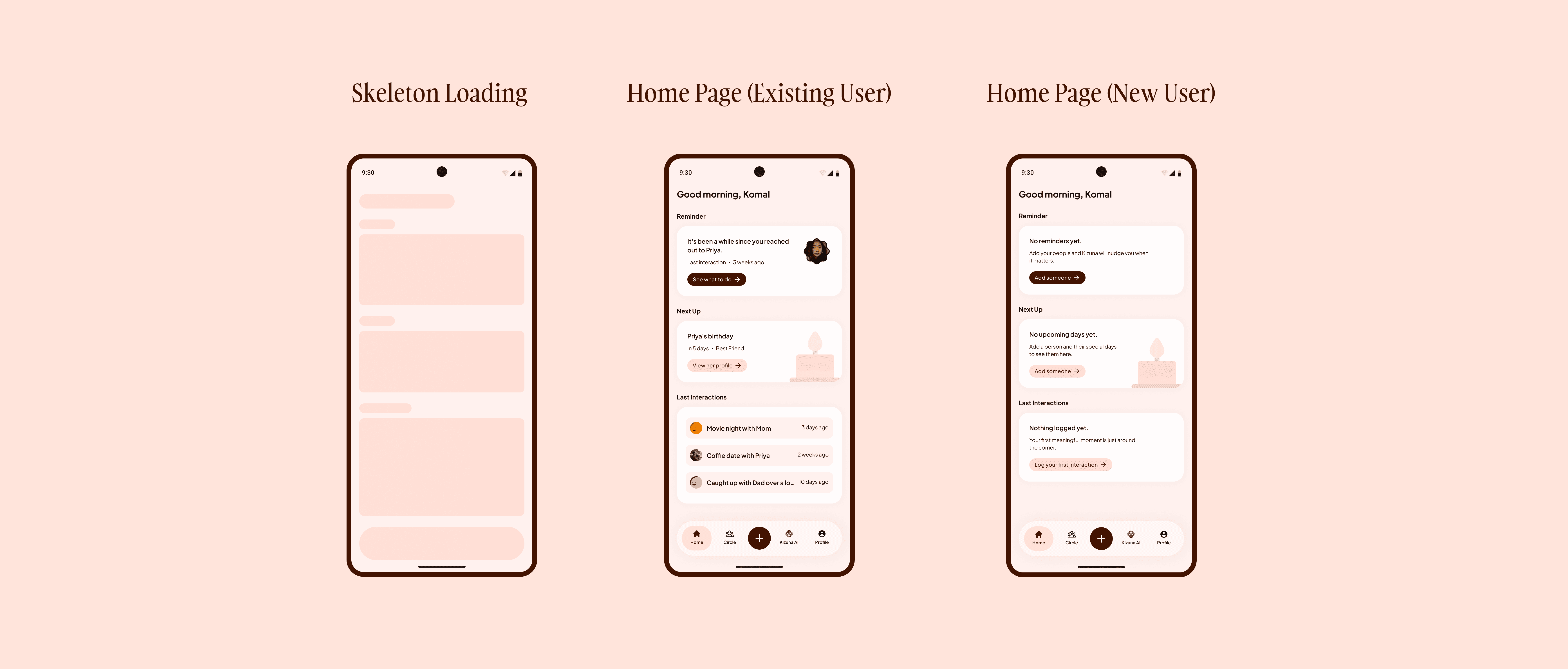
Home Screens

The home screen adapts to different states. Existing users see reminders, upcoming events, and recent interactions There is a loading state while data loads, and a guided state for new users
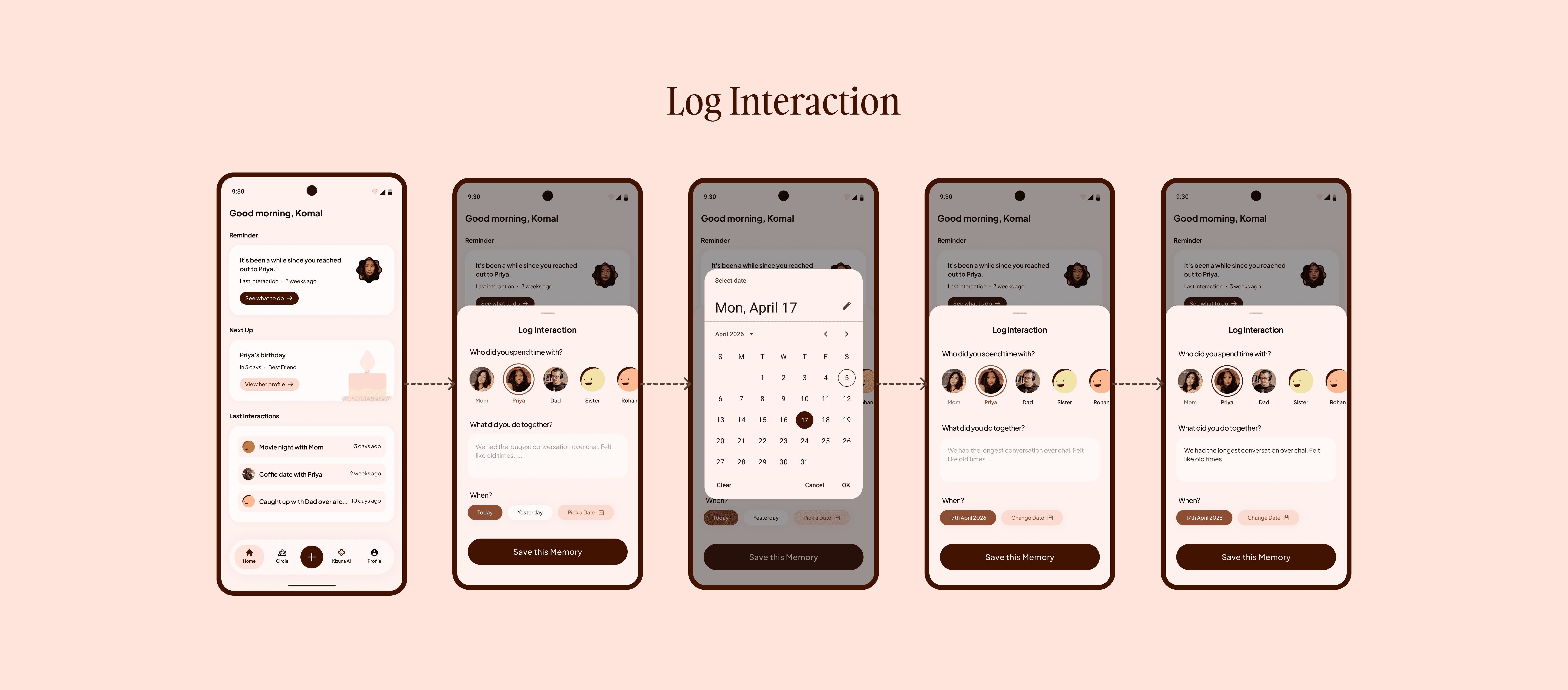
Log Interaction Flow

Users select a person, write what they did, and choose when it happened. Simple and quick to use
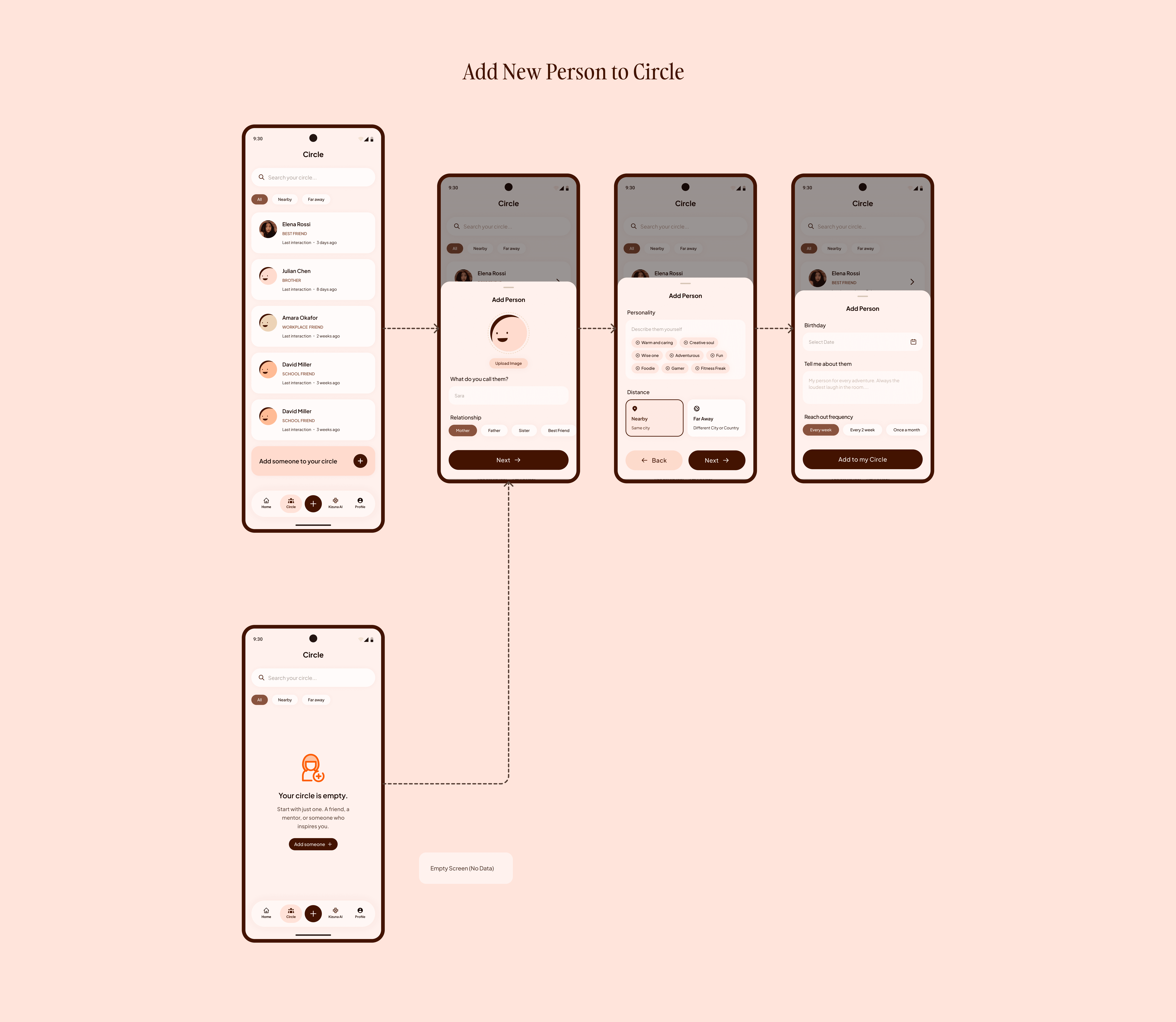
Circle and Add Person Flow

The circle page shows all added people, with an empty state for new users. Adding a person includes basic details like relationship, distance, birthday, and preferences
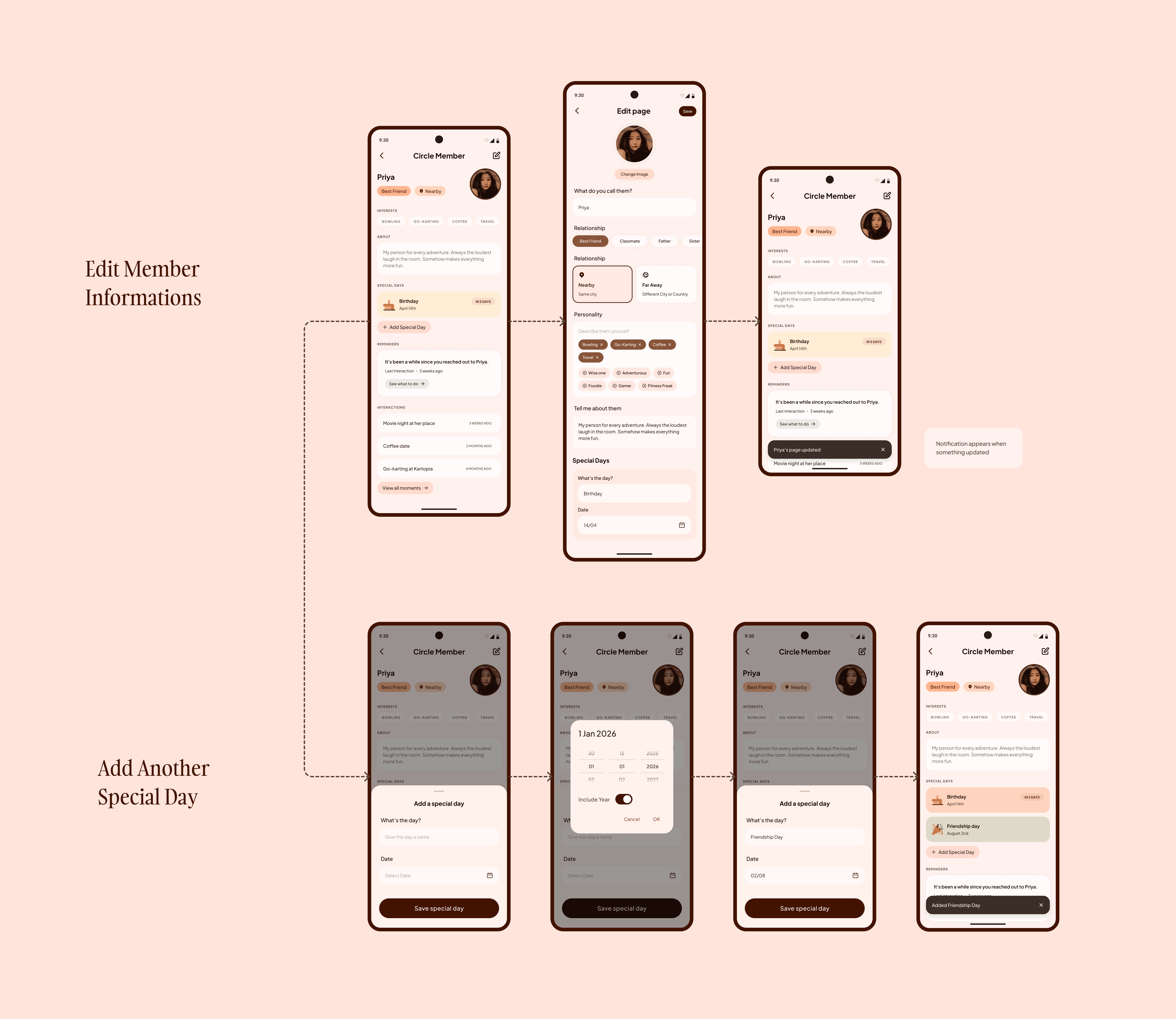
Person Profile and Edit Flow

Each person has a profile with their details and interaction history. Users can edit information and add special days easily
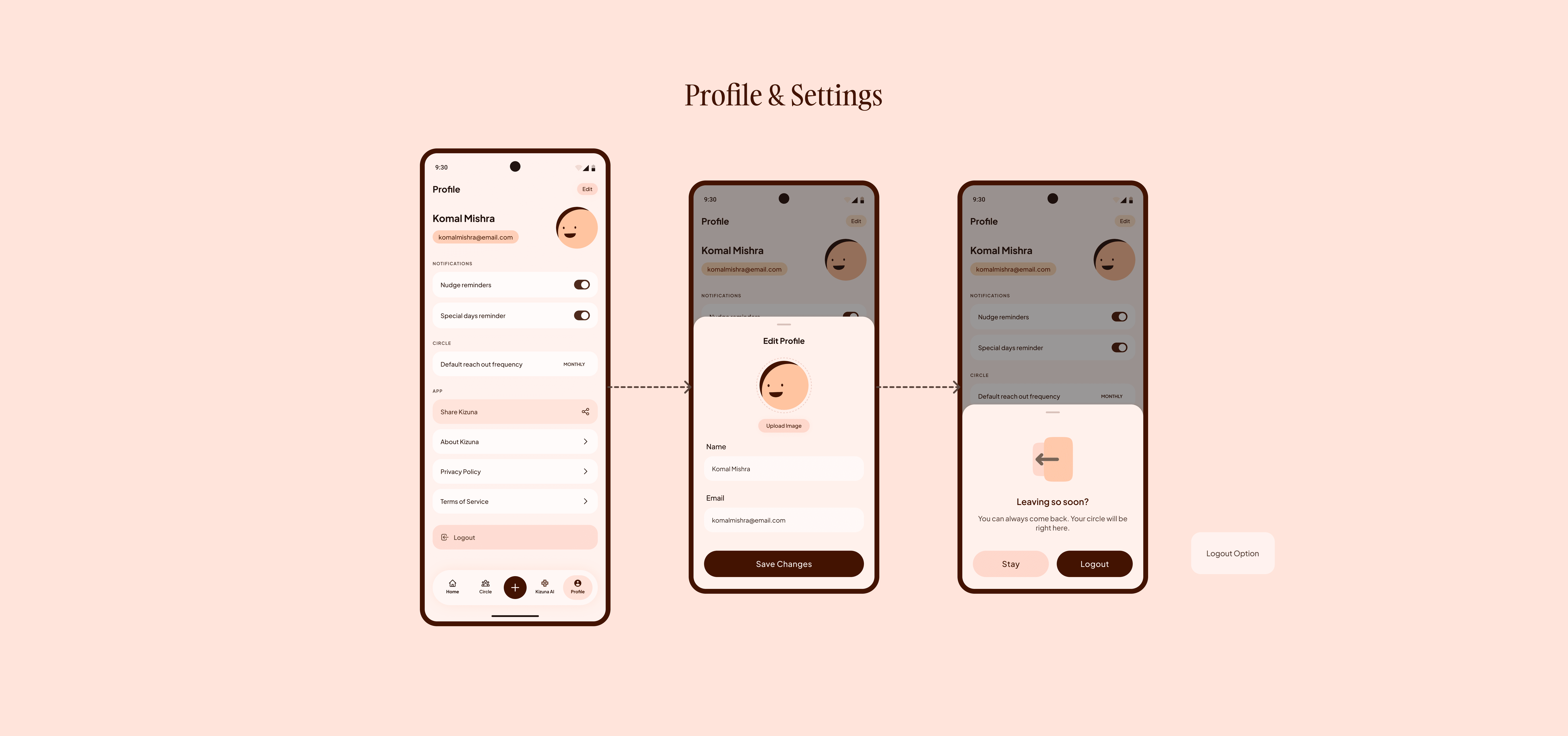
Profile and Settings

Includes basic account info, notification settings, app options, and logout
LEARNINGS AND TAKEAWAYS

LEARNINGS AND TAKEAWAYS

What a quick project taught me

Kizuna was a quick project, but it taught me a lot. Starting with a real personal problem made decisions easier because I always knew who I was designing for

Moving fast and exploring with AI helped me get direction early without getting stuck
Spending time on structure like flows and IA before designing made the actual screens much clearer

One important thing I realized was how much copy matters. Small changes in words can completely change how the product feels

Create a free website with Framer, the website builder loved by startups, designers and agencies.